
Your choice of agent
Keep the work. Switch the agent.
Use Claude Code, Codex, Kimi Code, OpenCode or another ACP agent. Switch within a conversation and carry the history forward.
Choose an agent →Self-hosted and open source. Run Claude Code, Codex and other coding agents on your own computers. Inspect code, plots and live apps beside the conversation, and build your own apps without leaving it.
From a question to something you can use
Ask. Inspect. Refine.
Your choice of agent
Use Claude Code, Codex, Kimi Code, OpenCode or another ACP agent. Switch within a conversation and carry the history forward.
Choose an agent →Your computers
Connect a laptop, GPU desktop or server to one dashboard. Start work there and follow it from another browser, including your phone.
Connect your machines →The actual results
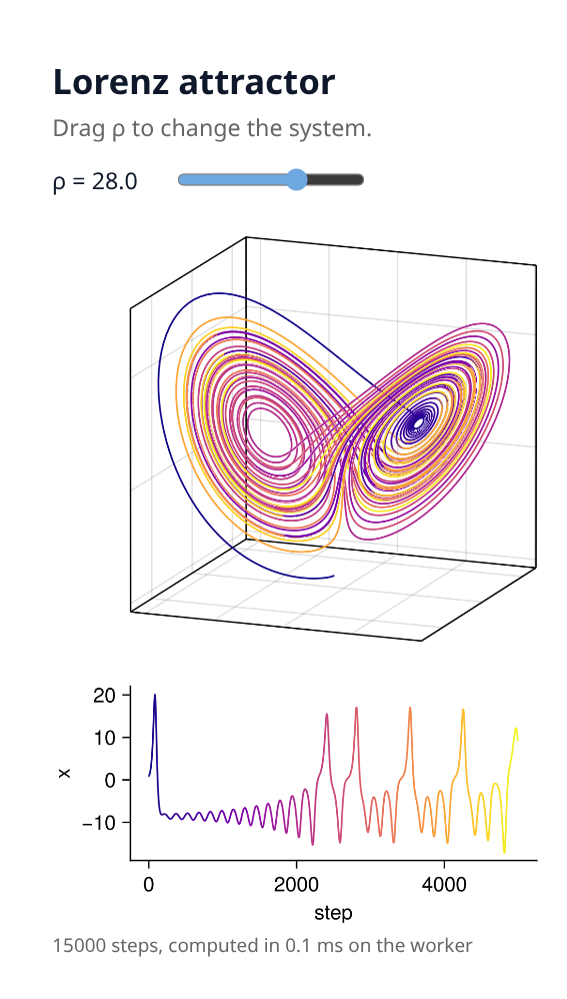
Inspect files from any language: plots, notebooks, tables, video, 3D models and git diffs. Julia-powered apps stay interactive while you refine the code.
Explore the workspace →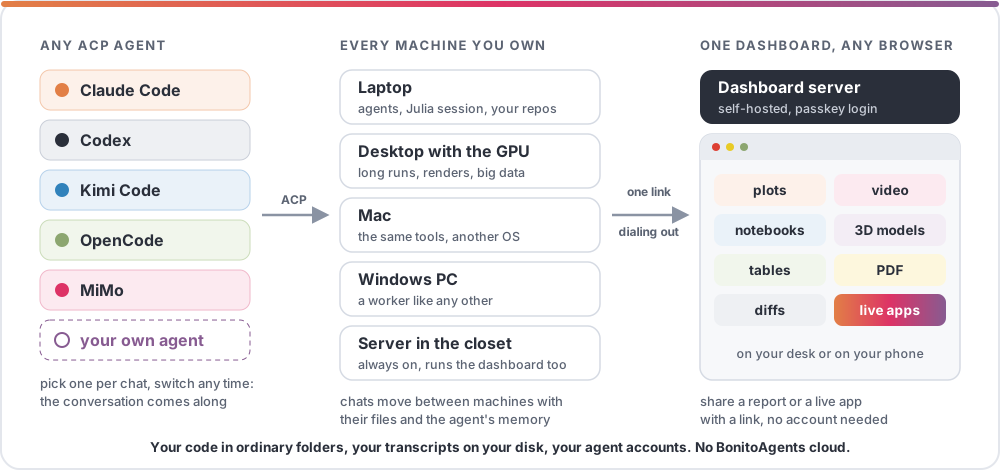
Describe it. Try it. Install it.
Built in a chat
The agent writes a Julia package, runs it in its session and shows the app's views live in the chat. Review the code, ask for changes, and approve loading the app into the running server.
Build an app →A page of its own
An installed app gets a page laid out the way the work needs, with a chat to its own agent built in. Its state lives on the server.
See the To-do app →Tools for every agent
App tools are Julia functions with typed parameters. Every chat can call them, whichever agent runs there.
Write an app →See what changed
Open the source, inspect a diff, and ask about a specific line. Keep the plot or app beside the conversation while you decide what to change next.
Reviewing changes →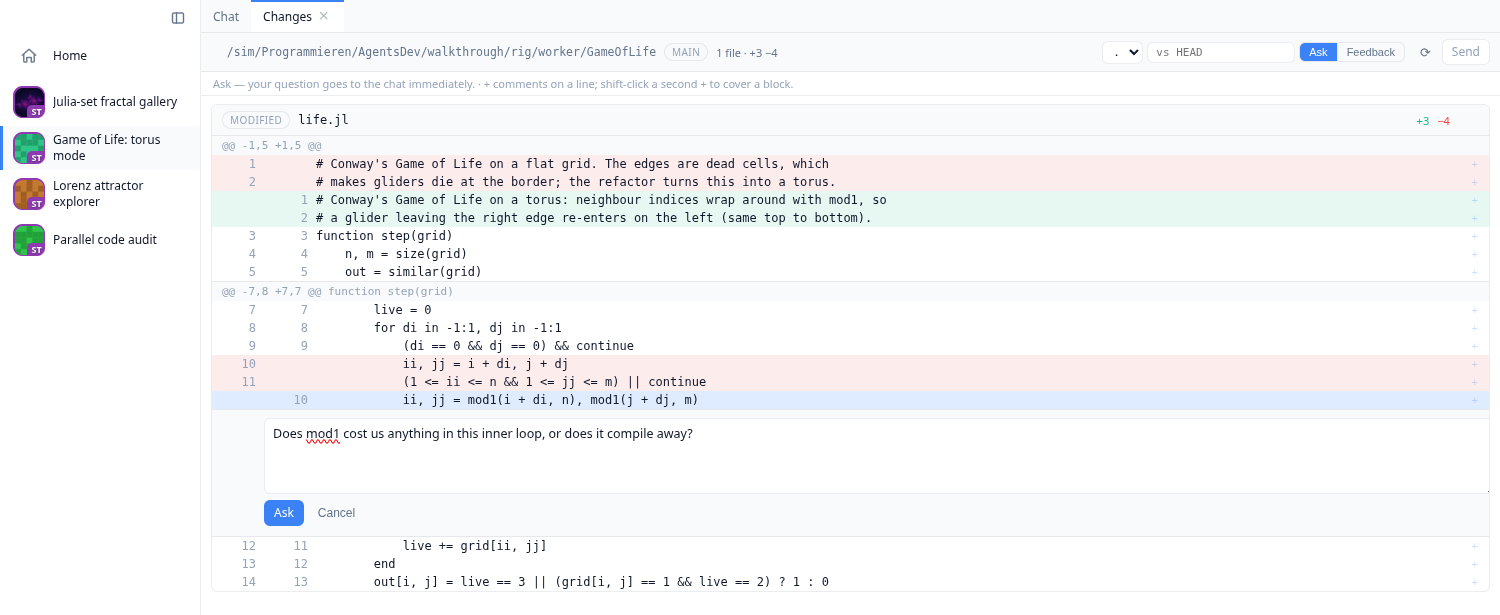
Let someone else try it
Share a report, a file or a live app with a link. A collaborator can open it in their browser and explore it, with computation running on your worker.
Sharing files and live apps →Start with one machine
The installer includes Julia and the app. Your files stay in ordinary folders, and agents use your own subscriptions or API keys.
Agent access
Agents can run commands and modify files on connected machines. Use projects and permissions you are comfortable giving them access to.